
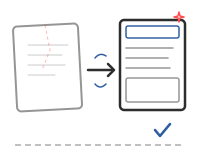
You Have Something — Make It Better.
Platform switch, relaunch, or modernization — without losing your rankings.
Your Starting Point
You have a blog or website, but it no longer works properly. The platform is outdated, load times are poor, and the design feels dated. Switching feels risky.
- SEO Risk A sloppy migration can wipe out years of rankings overnight.
- Data Loss Content, images, structures, custom fields — everything needs to be transferred completely and correctly.
- Redirect Chaos Old URLs must point to new ones. Without proper mapping, you face 404 errors and lost backlinks everywhere.
- Downtime You want to keep publishing during the migration — not go offline for weeks.
Our Approach
We have migrated hundreds of blogs between platforms. Our process in three steps:
Audit
We analyze your existing site — content inventory, URL mapping, SEO baseline.
Staging Migration
Everything is built and tested in a staging environment, reviewed and approved by you.
Go-Live and Monitoring
After your approval, we go live. 30 days of monitoring for traffic, indexing, and redirects.
Which Service Fits?
Migration
The direct path — content, media, and SEO data transferred cleanly to the new platform.
- 301 redirect mapping for every URL
- Staging environment before go-live
- 30 days post-migration monitoring
WordPress Theme
When the target is performant WordPress — plugin-free and SEO-optimized from day one.
- PageSpeed 90+ without plugin overhead
- Niche features natively integrated
- Combinable with migration
Custom Publishing
When the relaunch should also be a technological fresh start.
- Own design system
- Technology-independent
- Code belongs to you
Frequently Asked Questions
Will I lose my Google rankings?
Not with a proper migration. We set up 301 redirects for every URL, transfer all SEO metadata, and monitor indexing for 30 days after go-live.
Which platforms can you migrate?
We migrate from WordPress, Blogger, Squarespace, Wix, Jimdo, and other platforms — to WordPress, static sites, or custom solutions.
How long does a migration take?
For 100–300 posts, expect 2–3 weeks from initial consultation to go-live. Larger projects take correspondingly longer.
Can I keep publishing during the migration?
Yes. The migration runs in a separate staging environment. You continue working on your existing site normally. New posts are synced before go-live.
What happens to my recipes and structured data?
We have custom migration scripts for recipe content. Schema.org markup, ingredients, nutritional data — everything is transferred exactly.
Ready for Your Next Project?
Whether it is a blog, a corporate website, or a custom platform – let's build it together. Professional, SEO-optimized, and tailored to your needs.
Start Your Project